DuduTracker
A Software to Simulate and Understand Insect Movements over time and space. Dudutracker, is designed to simulate and comprehend insect movements over time and space, uses the principles of cellular automata. In the insect-related context, the cells can be in three potential states: unoccupied, colonized, or exposed. The software uses a 2D grid, with each cell having eight neighboring cells. The transition of a cell's state, which represents insect dispersal, depends on its current state and the states of its neighbors. A mathematical function determines the likelihood of insects colonizing a particular cell based on factors like food availability, suitable habitat, or favorable environmental conditions.
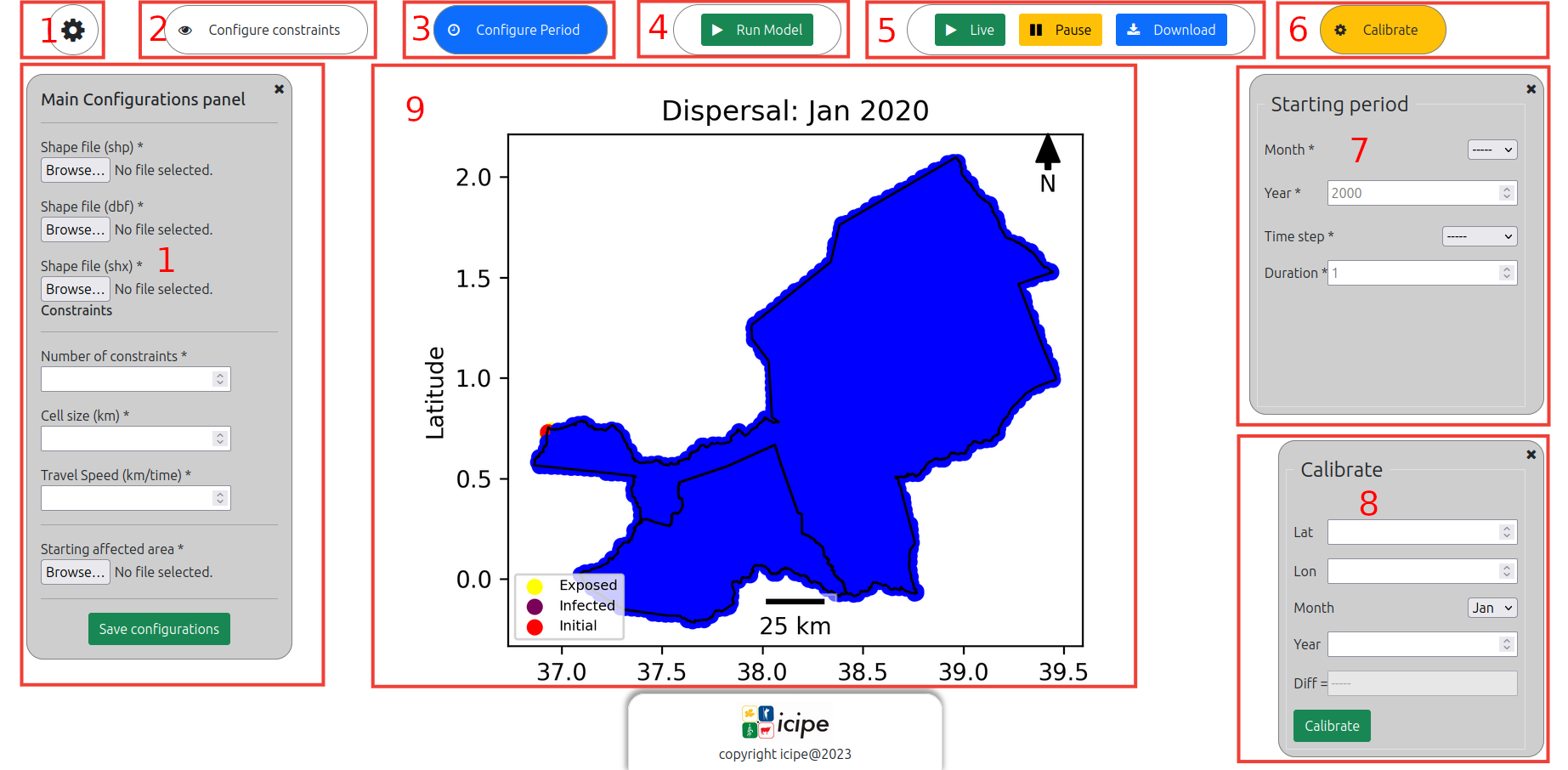
- Configuration button and panel: here is were you load your shapefiles (.shp, .shx, .dbf) to the system. You also define the number of constraints to be consider and uploads required files for each constraints. In addition, you also load the file containing the initial location of your insects, and finally you save those configuration to the system.
- Constraints configuration button: onclick, this opens a panel where you can provide upper and lower limit values of each constraint loaded in the previous step.
- Simulation period configuration button: onclick, this opens a panel (7) where you can provide time setting for the simulation; namely the starting month, the starting year, the timestep, and the duration of the simulation.
- Run button: onclick, this runs the model after checking all required inputs have been provided.
- Actions panel: this panel allows you respectively to, visualize the simulation, pause the visualization or download model outputs. If any of this action is activated without running the model, the user gets the results of his latest run.
- Calibration button: onclick this button toggles the calibration panel (8), where you can define any further configuration for you simmulation.
- Period configuration panel.
- Calibration panel.
- Visualization panel: this is where the model outputs are displayed.
Contacts
dilaneagboka@gmail.com
kagboka@icipe.org
atagong5@gmail.com